Note
Go to the end to download the full example code.
The Simulation Domain#
The Domain defines the spatial boundaries and
boundary conditions of a simulation. It controls two things:
Displacement — how the domain computes the relative displacement vector between two particles (important for periodic boundary conditions).
Boundary enforcement — how the domain constrains particles to stay inside the simulation box (reflection, wrapping, or nothing at all).
JaxDEM supports five domain types:
"free"(FreeDomain) — unbounded space, no boundary effects."periodic"(PeriodicDomain) — periodic (minimum-image) boundary conditions."leesedwards"(LeesEdwardsDomain) — shear-periodic Lees–Edwards boundaries."reflect"(ReflectDomain) — reflective walls with impulse-based collision for general rigid bodies (spheres and clumps)."reflectsphere"(ReflectSphereDomain) — a faster reflective domain for sphere-only simulations.
This guide covers each one.
Domain Creation#
You usually create a domain through
create(). Pass domain_type and,
optionally, domain_kw:
import jax.numpy as jnp

import numpy as np

import jaxdem as jdem

state = jdem.State.create(pos=jnp.zeros((1, 2)))

system = jdem.System.create(
    state.shape,
    domain_type="periodic",
    domain_kw={
        "box_size": 10.0 * jnp.ones(2),
        "anchor": jnp.zeros(2),
    },
)
print("Domain type:", type(system.domain).__name__)
print("Box size:", system.domain.box_size)
print("Anchor:", system.domain.anchor)
Domain type: PeriodicDomain
Box size: [10. 10.]
Anchor: [0. 0.]
You can also build a domain independently with
Domain.create and assign it to
system.domain:
domain = jdem.Domain.create("free", dim=2)
system.domain = domain
print("Swapped to:", type(system.domain).__name__)
Swapped to: FreeDomain
Common Attributes#
Every domain has two core attributes:
box_size— the length of the simulation box along each axis, shape(dim,).anchor— the minimum-corner coordinate of the box, shape(dim,).
Together they define an axis-aligned box \([\text{anchor},\;\text{anchor} + \text{box\_size}]\).
If you do not supply them, they default to ones(dim) and zeros(dim)
respectively.
domain = jdem.Domain.create("reflect", dim=3)
print("box_size:", domain.box_size)
print("anchor:", domain.anchor)
box_size: [1. 1. 1.]
anchor: [0. 0. 0.]
Free Domain#
FreeDomain imposes no boundaries.
Particles move freely in an unbounded space. The domain updates the
box_size and anchor
each step to tightly enclose all particles.
Some internal algorithms, like spatial hashing in the cell-list colliders,
need a finite bounding box.
state = jdem.State.create(
    pos=jnp.array([[0.0, 0.0], [3.0, 4.0]]),
    rad=jnp.array([0.5, 0.5]),
)
system = jdem.System.create(state.shape, domain_type="free")

# After a step, the domain auto-fits to the particles:
state, system = jdem.System.initialize(state, system)
state, system = system.step(state, system)
print("Free domain box_size:", system.domain.box_size)
print("Free domain anchor:", system.domain.anchor)
Free domain box_size: [4. 5.]
Free domain anchor: [-0.5 -0.5]
Periodic Domain#
PeriodicDomain uses the
minimum-image convention: the displacement between two particles is the
shortest vector connecting them, potentially across a periodic boundary.
The periodic property returns True for this
domain, which
lets colliders and other components adapt their behavior automatically.
Periodic boundary conditions do not modify positions during the time
step (apply() is a no-op). To wrap positions back into the primary box
— for example before saving — use the shift() method.
state = jdem.State.create(
    pos=jnp.array([[0.1, 0.1], [9.9, 10.2]]),
)
system = jdem.System.create(
    state.shape,
    domain_type="periodic",
    domain_kw={"box_size": 10.0 * jnp.ones(2), "anchor": jnp.zeros(2)},
)
print("Is periodic?", system.domain.periodic)
Is periodic? True
The minimum-image displacement between two particles near opposite edges
wraps around the box through displacement():
rij = system.domain.displacement(state.pos[0], state.pos[1], system)
naive = state.pos[0] - state.pos[1]
print("Naive displacement:", naive)
print("Minimum-image displacement:", rij)
periodic_naive = np.asarray(naive)
periodic_displacement = np.asarray(rij)
Naive displacement: [ -9.8 -10.1]
Minimum-image displacement: [ 0.2 -0.1]
Call shift to wrap positions back into the primary
image:
state, system = system.domain.shift(state, system)
print("Wrapped positions:\n", state.pos)
Wrapped positions:
 [[0.1 0.1]
 [9.9 0.2]]
Lees–Edwards Shear-Periodic Domain#
LeesEdwardsDomain is periodic in
every direction. When an image crosses the shear-gradient axis
beta, it
is offset along the shear-flow axis alpha
by gamma * box_size[beta].
gamma is the current shear strain. The
defaults are flow along x
(alpha=0) and gradient along y (beta=1); the axes must be distinct.
system = jdem.System.create(
    state.shape,
    domain_type="leesedwards",
    domain_kw={
        "box_size": 10.0 * jnp.ones(2),
        "anchor": jnp.zeros(2),
        "gamma": 0.5,
        "alpha": 0,
        "beta": 1,
    },
)
rij = system.domain.displacement(jnp.array([1.0, 0.1]), jnp.array([6.0, 9.9]), system)
print("Lees-Edwards displacement:", rij)
sheared_displacement = np.asarray(rij)
sheared_naive = np.array([1.0, 0.1]) - np.array([6.0, 9.9])
Lees-Edwards displacement: [0. 0.2]
The domain reads gamma (strain) and
gamma_dot (shear rate), but does
not advance them. Update the strain in user_pre_step_actions so forces
use the strain at the new time. Cundall–Strack
uses gamma_dot to account
for the velocity of the selected periodic image. Ordinary stepping keeps
particle coordinates unwrapped; no call to
domain.shift is needed.
from dataclasses import replace

def advance_shear(state, system):
    domain = replace(
        system.domain,
        gamma=system.domain.gamma + system.domain.gamma_dot * system.dt,
    )
    return state, replace(system, domain=domain)

system = jdem.System.create(
    state.shape,
    domain_type="leesedwards",
    domain_kw={"box_size": 10.0 * jnp.ones(2), "gamma_dot": shear_rate},
    user_pre_step_actions=advance_shear,
)
state, system = system.initialize(state, system)
For a time-dependent rate, update
gamma_dot alongside
gamma and set
both to their initial values before initialize. For example,
oscillatory
shear uses gamma = amplitude * jnp.sin(omega * system.time) and
gamma_dot = amplitude * omega * jnp.cos(omega * system.time).
For discrete affine increments (for example, quasistatic shear), call
shear():
state, system = system.domain.shear(state, system, dgamma). This updates
gamma and advances pair histories such as
Cundall–Strack exactly once,
with no time passing: velocities, dt,
gamma_dot and dashpots play no
part. Do not represent the same strain increment through both this call and
the continuous protocol. Box rescaling works the same way through
resize():
system.domain.resize(state, system, new_box_size), which every domain
supports and which scale_to_packing_fraction() uses.
shift removes the positional shear offset for each
crossed gradient image and then
wraps all coordinates into the primary box. Spatial-search caches include
gamma,
alpha, and
beta in their geometry snapshot, so cached
colliders rebuild when that geometry changes.
Reflective Domain#
ReflectDomain reflects particles off
the walls of the simulation box. It uses impulse-based collision mechanics,
correctly handling both linear and angular velocity for spheres and clumps.
An optional restitution_coefficient (default 1.0, i.e.
perfectly
elastic) scales the normal rebound speed relative to the approach speed.
For a head-on impact on a stationary wall, the retained kinetic-energy
fraction is its square.
state = jdem.State.create(
    pos=jnp.array([[0.5, 0.5]]),
    vel=jnp.array([[-1.0, 0.0]]),
    rad=jnp.array([0.4]),
)
system = jdem.System.create(
    state.shape,
    domain_type="reflect",
    dt=0.01,
    domain_kw={
        "box_size": 10.0 * jnp.ones(2),
        "anchor": jnp.zeros(2),
        "restitution_coefficient": 1.0,
    },
)
print("Restitution:", system.domain.restitution_coefficient)
reflect_approach_velocity = float(state.vel[0, 0])

# The center starts 0.1 above the contact position x = radius. At speed 1,
# it reaches the wall after 0.1 time units. Twenty dt=0.01 steps cover the
# approach and rebound while keeping this demonstration short:
state, system = jdem.System.initialize(state, system)
state, system = system.step(state, system, n=20)
print("Position after bounce:", state.pos)
print("Velocity after bounce:", state.vel)
reflect_rebound_velocity = float(state.vel[0, 0])
np.testing.assert_allclose(state.vel, [[1.0, 0.0]], atol=1e-6)
assert float(state.pos[0, 0]) >= float(state.rad[0])
Restitution: 1.0
Position after bounce: [[0.5 0.5]]
Velocity after bounce: [[1. 0.]]
Reflect-Sphere Domain#
ReflectSphereDomain is a
lightweight variant of the reflective domain that skips the full
impulse calculation. It mirrors positions and reverses the
velocity component normal to the boundary.
Use this when your simulation contains only spheres (no clumps) for better performance.
state = jdem.State.create(
    pos=jnp.array([[0.5, 0.5]]),
    vel=jnp.array([[-1.0, 0.0]]),
    rad=jnp.array([0.4]),
)
system = jdem.System.create(
    state.shape,
    domain_type="reflectsphere",
    dt=0.01,
    domain_kw={"box_size": 10.0 * jnp.ones(2), "anchor": jnp.zeros(2)},
)

state, system = jdem.System.initialize(state, system)
reflect_sphere_approach_velocity = float(state.vel[0, 0])
state, system = system.step(state, system, n=20)
print("Sphere-reflect position:", state.pos)
print("Sphere-reflect velocity:", state.vel)
reflect_sphere_rebound_velocity = float(state.vel[0, 0])
np.testing.assert_allclose(state.vel, [[1.0, 0.0]], atol=1e-6)
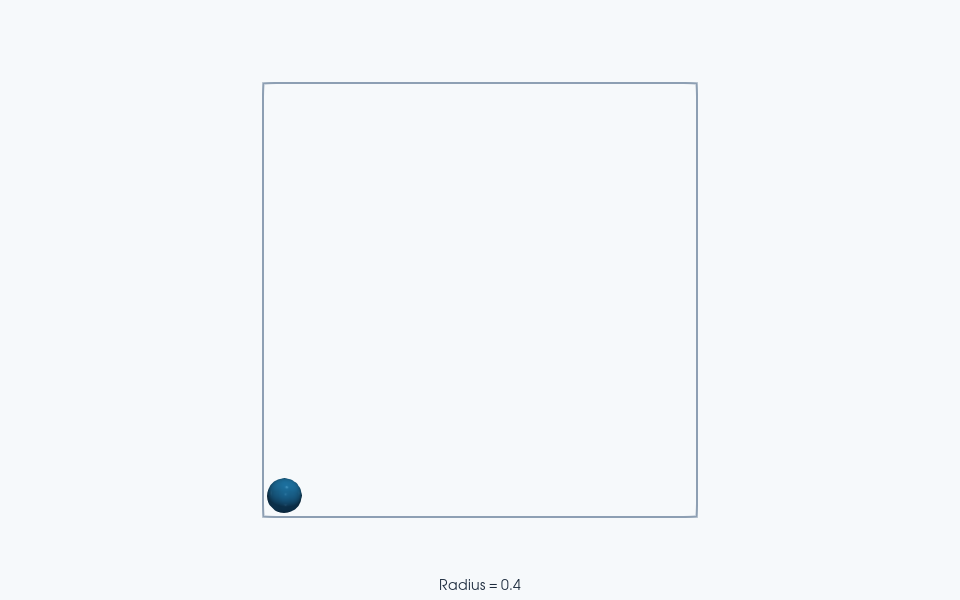
ParaView rendering of this run’s VTKWriter output.
Sphere-reflect position: [[0.5 0.5]]
Sphere-reflect velocity: [[1. 0.]]
apply() vs shift()#
Domains expose two boundary-enforcement methods:
apply()— called automatically at every integration step. For reflective domains this performs position correction and impulse updates. For periodic domains it is a no-op.shift()— an explicit call you make when you want positions mapped back into the primary box. For periodic domains this wraps coordinates; for free/reflective domains it is a no-op.
In practice you rarely call apply() yourself — the integrator does it.
You typically call shift() right before saving output or computing
observables that need positions inside the box.
Total running time of the script: (0 minutes 7.753 seconds)